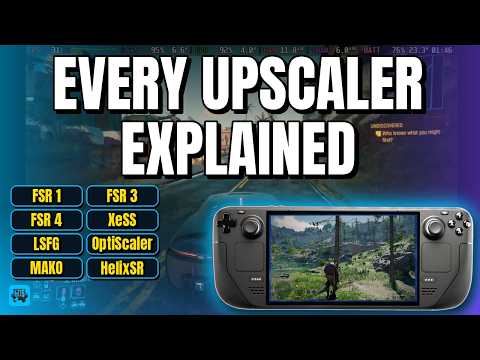

Here’s some Steam Deck news that’s been doing the rounds on Reddit: how much AMD’s FSR 4.1.2 actually costs in frame time on a handheld. u/OneStandard5 posted about it in r/SteamDeck early on Monday 23 November 2026, pointing at AMD’s official numbers and at their own 800p tests. I think the cost is worth talking about, but a couple of the claims need a careful look, and the picture changes a lot between the Deck’s 800p screen and a docked 1080p TV.
I haven’t timed this myself for this piece, so I’m sticking to AMD’s published figures, to what u/OneStandard5 reported, and to earlier Deck tests from u/jack-of-some. Where those don’t agree, I’ll say so.
What AMD actually published
On 20 October 2026, AMD said FSR Upscaling 4.1 was coming to more hardware, including a more efficient model built for handhelds and lighter laptops. The developer documentation for FSR Upscaling 4.1.2 is the place I’d start. AMD lists a lightweight INT8 model for chips such as the Ryzen Z2 Extreme and Ryzen Z2 A, and a full INT8 model for more capable hardware such as Ryzen AI Max and Radeon RX 6000 cards. Model selection is automatic on supported hardware.
The number u/OneStandard5 highlighted is real, but it is not a Steam Deck figure. In AMD’s FSR SDK performance table, a Ryzen Z2 A with LPDDR5-6400 memory takes 5,620 microseconds, or about 5.6 ms, to run the lightweight INT8 model at a 1920×1080 target in Performance mode. Those timings were measured with RCAS sharpening off and the GPU at peak clocks. AMD also says upscaling time is mostly bound by the target resolution, that shared system memory can affect APU results, and that power and thermals mean real devices will vary.
The post treated the Z2 A as the same SoC as the Steam Deck. It isn’t. The Z2 A is a newer handheld chip, used in devices such as the cheaper ROG Xbox Ally. The Deck has its own custom AMD APU. I’d treat the 5.6 ms figure as a useful comparison for a similar class of handheld, not as a measurement of the Deck itself. And it is a 1080p Performance-mode number, not an 800p one.
For context, a 60 FPS cap gives you about 16.7 ms to finish each frame. On a Z2 A, 5.6 ms at 1080p would be about a third of that budget, before the game has done any of its own work. On much faster desktop cards the official cost is much lower. A Radeon RX 9070 XT is listed at about 0.35 ms for the full FP8 model at 1080p, and a Radeon RX 7600 at about 2.0 ms for the full INT8 model at the same target.
What Deck testers have actually seen
u/OneStandard5 said that in their testing, FSR 4.1.2 took over 4.5 ms at 800p, and that this makes a locked 60 FPS harder even if the image looks better. I can’t verify that test, so I’m leaving it as their report. Other people in the same thread were not seeing a cost that high with the Lite model. u/C0_rey said they’d never seen 4.5 ms at 800p, and that Lite cost 3.7 ms at most on their Deck.
The clearest Deck numbers I can point to are from u/jack-of-some, who tested the 4.1.2 Lite model back in October. In that r/SteamDeck post, they said 1080p upscale time went to about 6 ms, down from about 10 ms with FSR 4.1.1 stock. In today’s thread they added that you want the Lite variant, which they put at around 3 ms, and that 6 ms at 1080p is too much for 60 FPS but actually great for 40 or 30. A comment on the October post from u/Dapper_Profession put it simply: docked 1080p is the case that needed the cheaper model; at 800p they never noticed the cost.
That tracks with AMD’s own note that the cost is mostly about the target resolution. On the Deck’s 1280×800 screen, the upscaler has less work to do than when you dock to 1080p or 1440p. u/jack-of-some also posted a docked Diablo IV test at 1440p, where Lite’s upscaler time was 12 ms. Native 1440p was about 22 FPS, FSR 3 reached about 40 FPS but looked quite bad, and FSR 4.1.2 Lite was around 35 FPS, locked to 30 in the video, with image quality they were happy to play on a TV. 12 ms is a huge slice of a 30 FPS frame, so I’d only do that kind of docked setup if the picture is worth it to you.
What this Steam Deck news means on a Steam Machine
A Steam Machine is a different story, because you’re usually aiming at a 1080p or 1440p TV rather than an 800p handheld screen. AMD’s official FSR 4.1.2 list still doesn’t name the Steam Deck or the Steam Machine. It does cover Radeon RX 7000-class cards with the full INT8 model, at about 2.0 ms for a Radeon RX 7600 at 1080p, and the Z2 Extreme handheld chip at about 2.5 ms at 1080p with the lightweight model. Those are useful comparisons, not a substitute for a Machine-specific test.
On SteamOS, you’re still in community-tool territory for FSR 4.1.2, just as you are on the Deck. If you play docked or on a Machine, the frame-time cost is the thing I’d watch, especially at 1080p and above. The quality jump over FSR 3 can be worth it at 30 or 40 FPS. I wouldn’t expect it to be a free way to hold 60.
How I’d actually use it
My starting point hasn’t changed. If the game has its own FSR 2 or FSR 3, or XeSS, I’d try that first. I walked through those options in my Steam Deck guide to every upscaler and frame generation option. FSR 4.1.2 is the next step when you want AMD’s newer ML upscaler, not a replacement for a good in-game option that already runs cheaply.
On the Deck, the practical way to try 4.1.2 is still our unofficial Decky plugin, Decky MultiFrameGen. The OptiScaler files picker includes AMD’s FSR 4.1.2 Lite model, which is the one I’d pick on a handheld, along with Valve’s older Deck build and some community options. If you need the setup from scratch, the MultiFrameGen install guide is still the place to start, and version 1.9.5 is the latest day-to-day update.
There are also community shader performance builds, such as the Cyboman FSR 4 overrides, if you want to experiment further. I’m not going to quote headline speed-up percentages from those notes here, because they compare one community build with another, often on Windows desktop cards, and that isn’t the same as a Lite versus stock cost on the Deck.
So my advice is simple. On the handheld screen, try Lite if you want the nicer FSR 4 picture, and don’t be surprised if the cost is a few milliseconds rather than something you always feel at 800p. If you’re docking the Deck, or playing on a Steam Machine, treat 1080p and 1440p as the expensive cases, and decide from a 30 or 40 FPS cap rather than assuming you’ll hold 60. And if a game’s own upscaler already looks fine, you can leave FSR 4.1.2 alone.