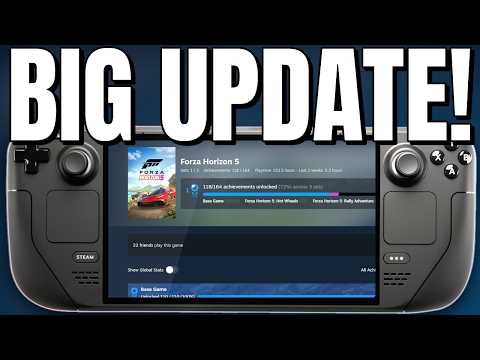
In community Steam Deck news, Unifideck has reached version 0.8, and the headline feature is experimental support for Xbox PC games. If you own PC games on Xbox or play through PC Game Pass, you can now sign in, install and play them from Steam’s Gaming Mode, with achievements, offline play and cloud saves.
Unifideck is a Decky Loader plugin that pulls your other game libraries into Steam, so games from stores like Epic, GOG, Amazon, Battle.net and itch.io sit alongside your Steam games in one library. Adding Xbox PC downloads is a big step, because Game Pass has been one of the hardest libraries to get running on SteamOS.
Xbox PC and Game Pass downloads in Unifideck 0.8
You turn the new feature on in Unifideck’s settings and sign in to your Microsoft account there. Once that’s done, the PC games you own on Xbox or have access to through PC Game Pass can be installed and played, and the notes say achievements, offline play and cloud saves are all supported.
The developer gives a big thanks to the Xodus and Nexus Launcher projects for making this possible. Xodus Nexus is an open-source, Xbox-inspired launcher for Microsoft Store games on Linux, and Unifideck builds on that work to bring it into Gaming Mode.
This is the same direction a lot of SteamOS news has been going lately. Epic Games Launcher is heading to SteamOS, and more stores are finding ways onto Valve’s OS. Getting Game Pass installs working through a plugin is a different, unofficial route, but it’s a big one if you have a library on Microsoft’s side.
Steam-style game pages and achievement pop-ups
Unifideck’s game pages now use Steam’s own layout and UI, including the download bar, cloud play and achievements, so non-Steam games feel much more at home. There are also Steam-style achievement pop-ups for Epic, GOG and Xbox games, and GOG achievements are tracked faster thanks to an update to Comet, which Unifideck uses for GOG achievements.
Other additions in this release include a version picker for Battle.net games with more than one edition on the same shortcut, cloud saves for native Linux GOG games, a prompt to claim itch.io bundle games before installing them, Steam review scores and tags on game pages, and steadier download time estimates.
Xbox Cloud Gaming changes
Xbox Cloud Gaming now plays in Unifideck’s own player rather than through Microsoft Edge. The Edge Flatpak has been replaced with a built-in browser. Accounts without Game Pass are supported too, so free-to-play streams such as Fortnite now sync. If you mostly stream, that’s a cleaner setup on Deck, and it sits well alongside services like GeForce NOW.
Fixes worth knowing about
There’s a long list of fixes. A few that stood out to me:
- Syncing no longer overwrites the names of games you renamed in Steam.
- TabMaster tabs built from Unifideck collections no longer break after a sync.
- Damaged GE-Proton files no longer make every game crash, because Unifideck now checks and repairs them automatically.
- DirectX 12 games keep their shader cache between launches.
- Xbox sign-in now verifies Microsoft’s certificates, and itch.io browser games run in their own browser profile.
Before you try this Steam Deck news for yourself
Unifideck is an unofficial community plugin, and the Xbox PC support is clearly marked as experimental, so use it at your own risk. It isn’t from Valve or Microsoft. I wouldn’t expect every Game Pass game to work perfectly straight away, since the usual Proton compatibility still applies.
The release notes also flag a couple of things. If you’re already signed in to Microsoft, you might be signed out once you enable experimental Xbox PC support, and you’ll need to log in twice in the same window. Warcraft III: Reforged now needs GE-Proton11-7 or newer to sign in, and Unifideck will tell you if your selected Proton version is too old.
You’ll need Decky Loader installed, and the 0.8.0 build is on the project’s GitHub releases page. If something goes wrong, the developer asks you to use Capture Logs in Unifideck’s Quick Access settings and share them on Discord or in a GitHub issue.
If you’ve used Unifideck before, maybe after my World of Warcraft: Forever install guide, this is a big update. Game Pass on Steam Deck without leaving Gaming Mode is something a lot of people have wanted, and even as an experiment it’s a promising start.